

Whether you’re heading out for a morning commute or parking your car after a leisurely afternoon drive, discovering that your garage door has stopped working is a sure way to ruin your day. However, before you call the repair guy and spend a few hundred dollars on his service, take a step back and calm down. This may actually be a problem that you can safely, cheaply, and easily fix yourself. If the door tries to open or close and fails, or the garage door overhead light blinks at you repeatedly when you try to open the door, you likely have a sensor problem on your hands. Fortunately, DIYers can attempt to fix these sensor problems on their own with safety and certainty – unlike some car parts.
Thankfully, sensor problems on your garage door are easy to fix. Most of the time, you will need to clean the sensor to make sure that no debris is blocking the infrared signal passing between the sides of your garage door. If you’re dealing with misalignment, you may need to re-align the sensor units so the photo eyes see each other. Sometimes, on older garage door opener models, a sensor may receive too much sunlight, which interferes with the infrared light. This can be fixed by swapping the positions of both sensors, but you should not encounter this particular problem like others. In either case, fixing the door is easy and quick, so you can stop sweating and go about your day in peace. The following steps should be enough to resolve your problem.
clean those sensors absolutely

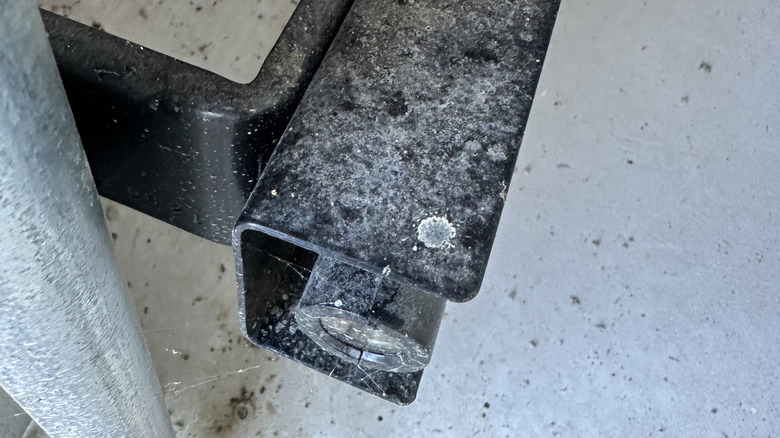
Once you’ve confirmed that you’re dealing with a sensor issue, the first step is to disconnect power from your system. Doing this prevents you or others from accidentally activating the door while working. This also allows you to perform your next step – cleaning the sensor – without risk of damage to the internal electronics.
Each sensor sends a beam of invisible light to the garage door, which the other sensor detects. When both sensors are detecting the other sensor’s light, the system knows that the door is unobstructed and safe to open or close. Over time, the sensors on both sides of your garage door will inevitably collect dirt, dust, cobwebs, and debris. When too much junk accumulates over the sensor eye, it interferes with the sensor’s ability to send and receive signals, causing the sensor to report blockage.
To clean your sensors, you can simply wipe them with a cloth or paper towel. If the buildup is too heavy, you may need to wet a cloth or use something like isopropyl alcohol to clean the lenses. This process is similar to how you might maintain your car’s backup camera, which is something else you should do frequently. Once the lens is clean, do not power on the unit until any fluid has completely evaporated. (And make sure the door track is clean too – if you’ve applied grease to it before it could cause problems.)
check your alignment

If your sensors aren’t dirty, or if cleaning them doesn’t solve the problem, you’re probably dealing with misalignment. Just as dust can prevent a sensor’s infrared beam from being detected, misaligned sensors will fail to reach each other with those beams. Sensors may become out of alignment when an accident occurs, or vibrations caused by doors opening and closing may gradually cause one to move out of place until it eventually no longer communicates with its counterpart.
Make sure both sensors are pointing as directly towards each other as possible. There is some margin for error here, so you probably won’t need to break out your level equipment or make any precise measurements. Typically, you can adjust your sensor by loosening any mounting screws holding it up, adjusting the sensor, and then tightening the screws back down. It’s as simple as it sounds and will only take a few minutes to complete.
Once you’re done, turn the system on and test it. Make sure the sensor indicator lights are glowing steadily and not blinking. Typically, one light will be green and the other amber or red indicating that everything is working properly, but the exact colors may vary depending on your sensor model. Regardless of color, solid lights are generally a good sign, and flashing lights (or no lights at all) mean something is wrong.